7 Essential Steps to Connect ChatGPT with Your Apps Using Composio
· based on the channel DataEdu
Key takeaways
- Composio enables native and external connectors for AI integration.
- Supports connections with ChatGPT, Claude, Manus IA, and Google Drive.
- Authorization and permissions are crucial for secure app linking.
- Offers actions like file management and data retrieval via AI assistants.
- Helps automate workflows and boost productivity with AI-powered apps.
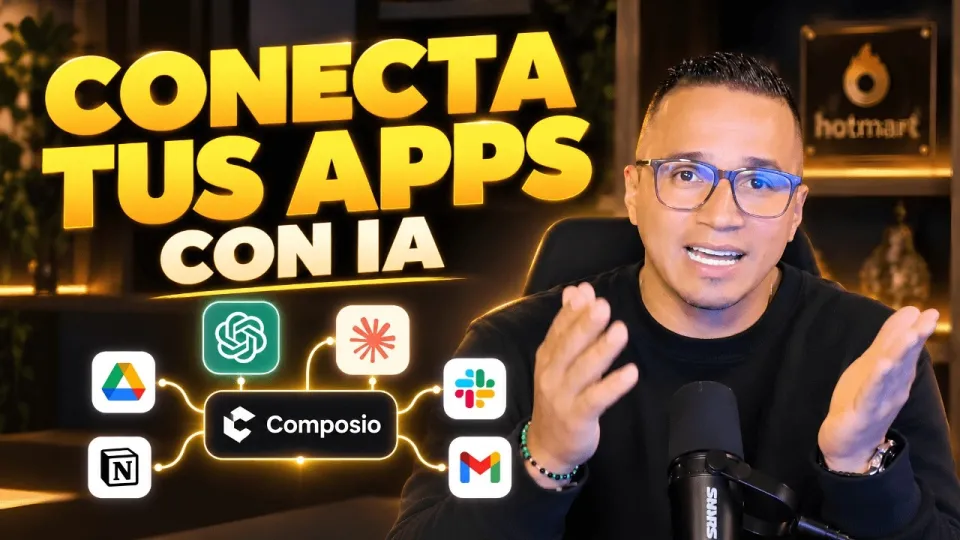
Video: Conecta ChatGPT, Claude y tus apps: así haces más con Composio
Connecting ChatGPT with your everyday applications is now streamlined and efficient with Composio, a platform designed to integrate AI assistants seamlessly with the tools you already use. By following the seven essential steps outlined here, you can harness AI capabilities directly within apps like Google Drive, boosting your productivity and automating routine tasks. For further insights and bonus materials, check out the Storytelling Book by DataEdu.
Understanding Composio and Its Connectors
Composio provides two main connector types to link AI assistants such as ChatGPT and Claude with other apps: native connectors and external connectors. Native connectors are built specifically to integrate tightly with supported applications, offering smoother and more reliable interactions. External connectors allow broader compatibility with apps that might not have direct native support, expanding the range of automation possibilities.
Authorizing and Linking Your Google Drive Account
To enable AI-powered actions on your files, you first need to authorize Composio to access your Google Drive. This process involves logging in through a secure OAuth flow, granting permissions that allow Composio to read, write, or manage files as needed. Proper permission management ensures your sensitive data remains protected while enabling AI assistants to perform tasks such as document retrieval or file creation.
Exploring AI Actions Available Through Composio
Once connected, Composio offers a variety of actions that ChatGPT and other assistants can perform within linked apps. For Google Drive, these include searching documents by keywords, creating new files or folders, and editing content. Similar actions are available for Claude and Manus IA integrations, depending on their supported features. This functionality transforms AI from a standalone tool into an interactive assistant embedded in your workflow.
Applying the Approach to Other AI Tools Like Claude and Manus IA
The integration method with ChatGPT via Composio is applicable to other AI assistants such as Claude and Manus IA. Depending on each tool’s available connectors, you can authorize and link apps similarly, enabling a wide range of AI-driven automations. This flexibility allows you to choose the AI assistant that best fits your needs while maintaining consistent connectivity with your productivity apps.
Handling Data Sensitivity and Security Concerns
A common question when connecting AI assistants with sensitive data sources like Power BI semantic models or Google Drive is security. Composio’s design includes permission-based access control, ensuring that AI actions are confined to authorized scopes only. Users must carefully review and grant permissions to maintain data confidentiality. Regular audits and updates to connector security help mitigate risks associated with automated AI interactions.
Tips for Maximizing Productivity with ChatGPT and Composio
To get the most out of ChatGPT integrations via Composio, prioritize automating repetitive tasks such as data retrieval, report generation, or content drafting. Customize workflows by combining multiple app actions within Composio to create complex automation sequences. Staying updated with new connectors and features from Composio enables continuous enhancement of your AI-driven productivity.
Troubleshooting Common Integration Issues
If you encounter connection errors, verify that your app credentials and permissions are correctly set. Ensure that your AI assistant’s version supports the required connectors and that your internet connection is stable. For advanced issues, consulting Composio’s documentation or community forums can provide helpful solutions.
Useful Links
- Storytelling Book by DataEdu — Learn to create clear and professional dashboards.
- Excel DataEdu — Master Excel and automate data analysis.
- DAX Advanced Analysis — Deepen your data analysis skills.
- DataEdu Instagram — Connect and learn about Power BI.
- DataEdu LinkedIn — Professional networking and updates.
Итог
Connecting ChatGPT and other AI assistants to your applications through Composio unlocks new levels of productivity and workflow automation. By authorizing accounts properly, choosing the right connectors, and understanding the available AI actions, you can enhance your daily work processes significantly. Keep data security in mind and leverage the flexibility Composio offers with various AI tools. For more detailed learning and practical resources, visit the Storytelling Book by DataEdu. The DataEdu channel provides valuable insights and tutorials to help you master AI integrations and data analysis techniques.
Source: Conecta ChatGPT, Claude y tus apps: así haces más con Composio · Markdown version
Questions & answers
Is it safe to connect Composio to apps containing sensitive data like Power BI semantic models?
Yes, Composio uses permission-based access controls to ensure that AI assistants only access data within authorized scopes. Users should carefully review and grant permissions to maintain data confidentiality. Regular security updates help protect sensitive information during integration.
Can I use Composio to connect AI assistants other than ChatGPT?
Absolutely. Composio supports multiple AI assistants including Claude and Manus IA. The process of authorization and connecting apps is similar across these assistants, allowing you to choose the AI tool that best fits your workflow needs.
What types of actions can ChatGPT perform when connected via Composio?
ChatGPT can perform various actions such as searching documents, creating and editing files, managing folders, and retrieving data from connected apps like Google Drive. The available actions depend on the specific app and connector capabilities.
How do I troubleshoot if the connection between ChatGPT and my app fails?
First, check that your credentials and permissions are correctly configured. Ensure that your AI assistant supports the required connectors and that your internet connection is stable. If problems persist, consult Composio's documentation or community support for guidance.